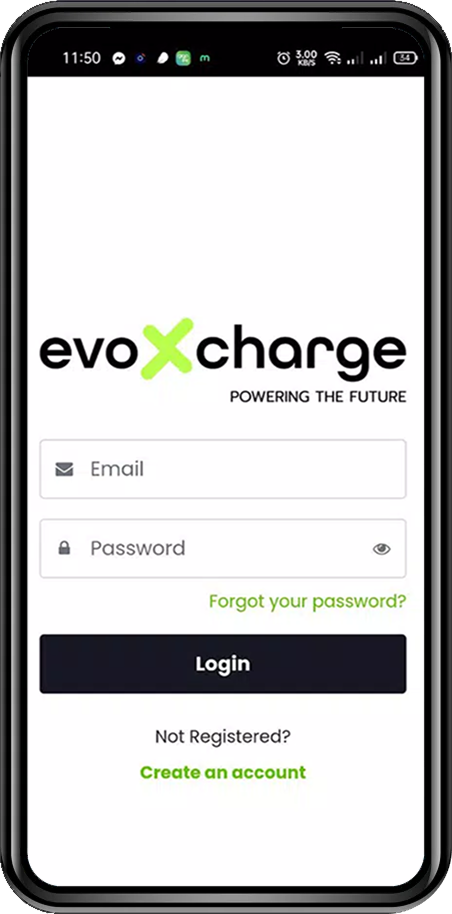

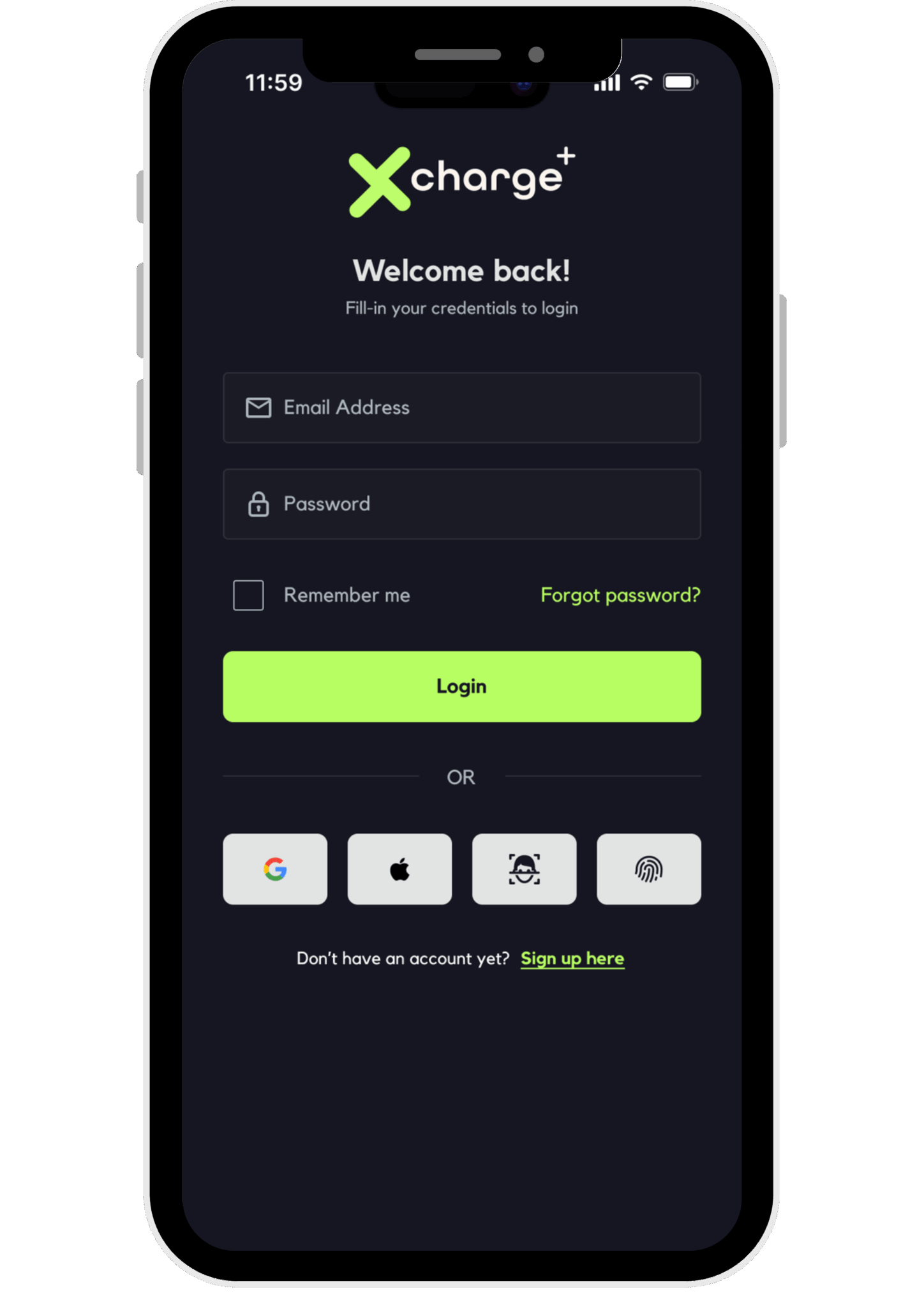
1. Login / Sign Up
Access the EVOxCharge app by logging in with your email or quickly creating a new account to start charging.
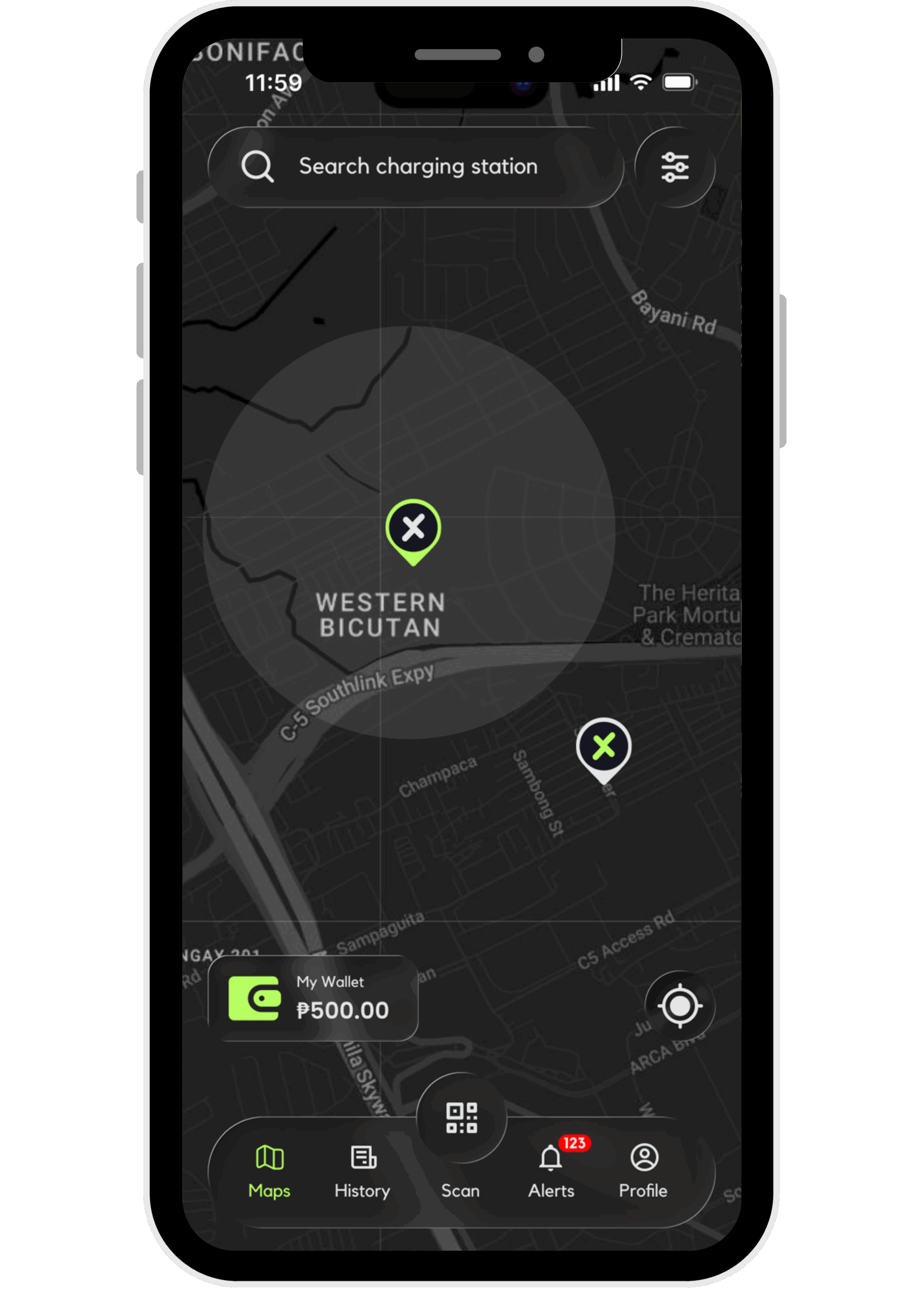
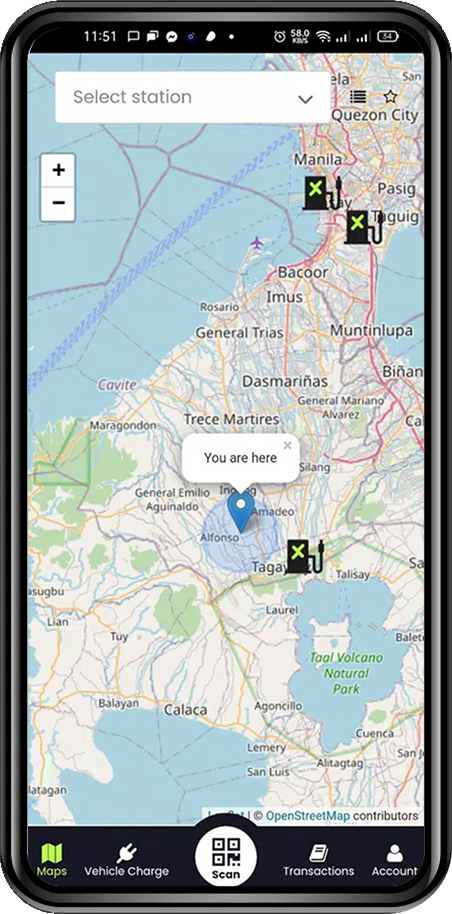
2. Locate Stations
Use the interactive map to explore available chargers near you in real time. Filter by location or charger type.
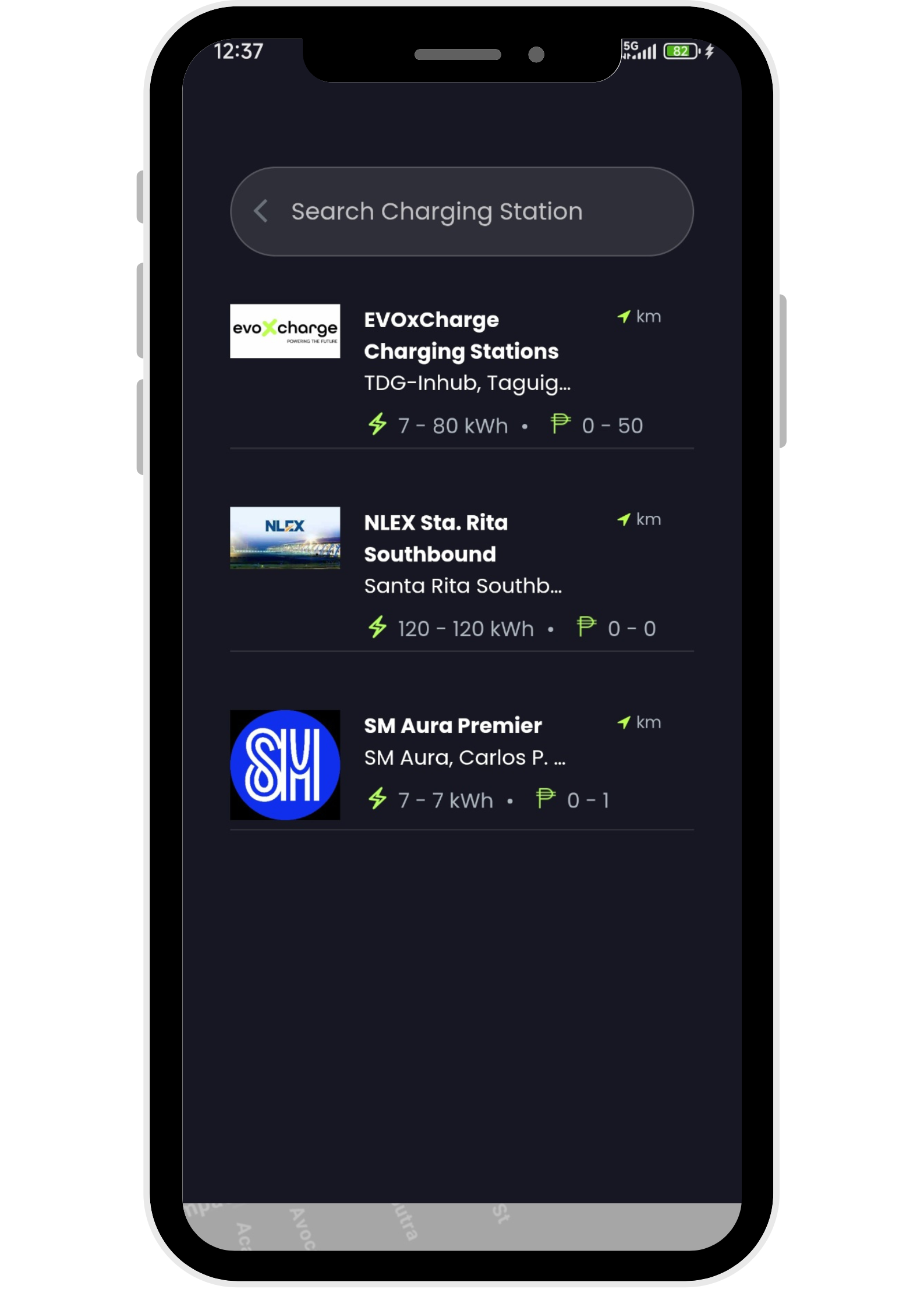
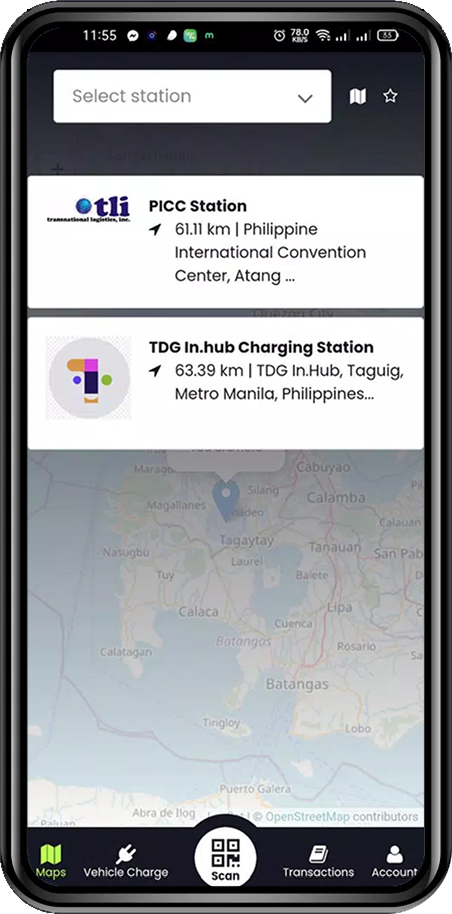
3. Select a Station
Tap on a location to see station information, distance, availability, and supported connector types.
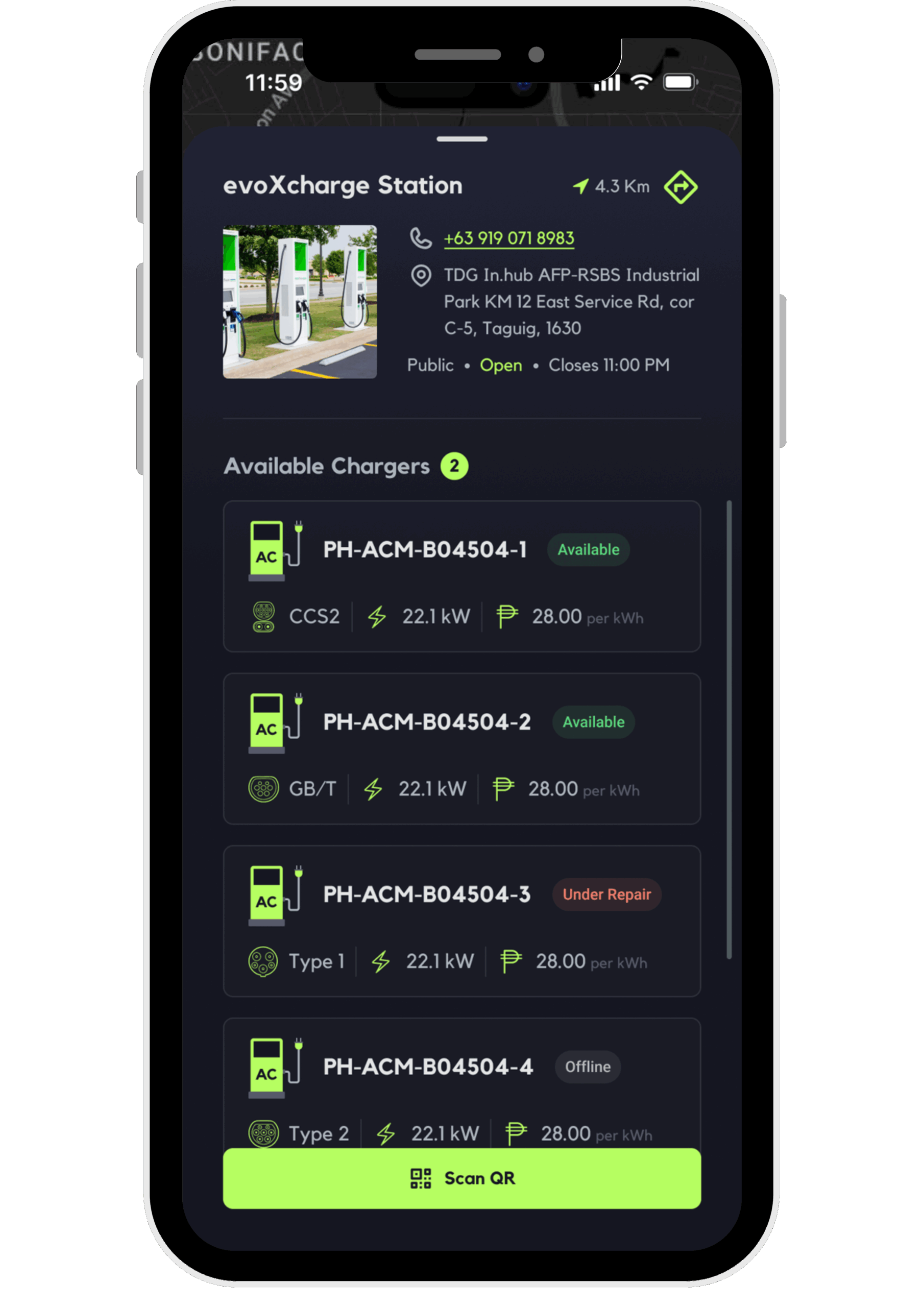
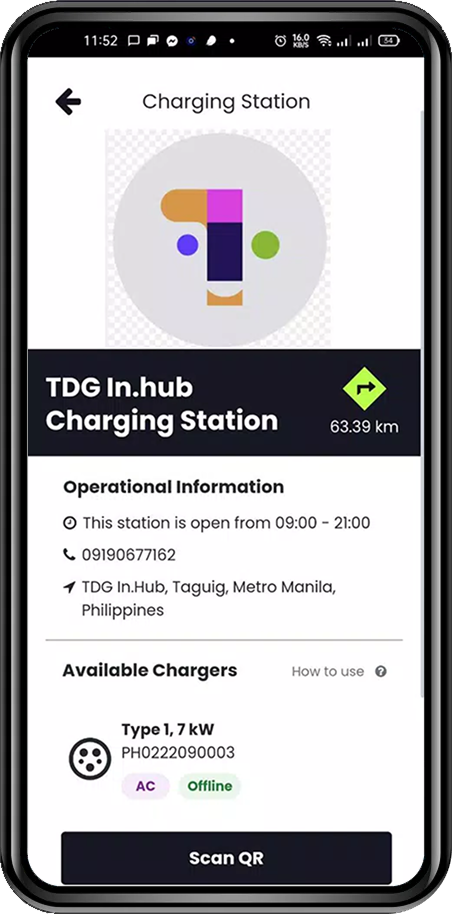
4. Check Details
Review operating hours, charger capacity, and supported payment options before you start charging.
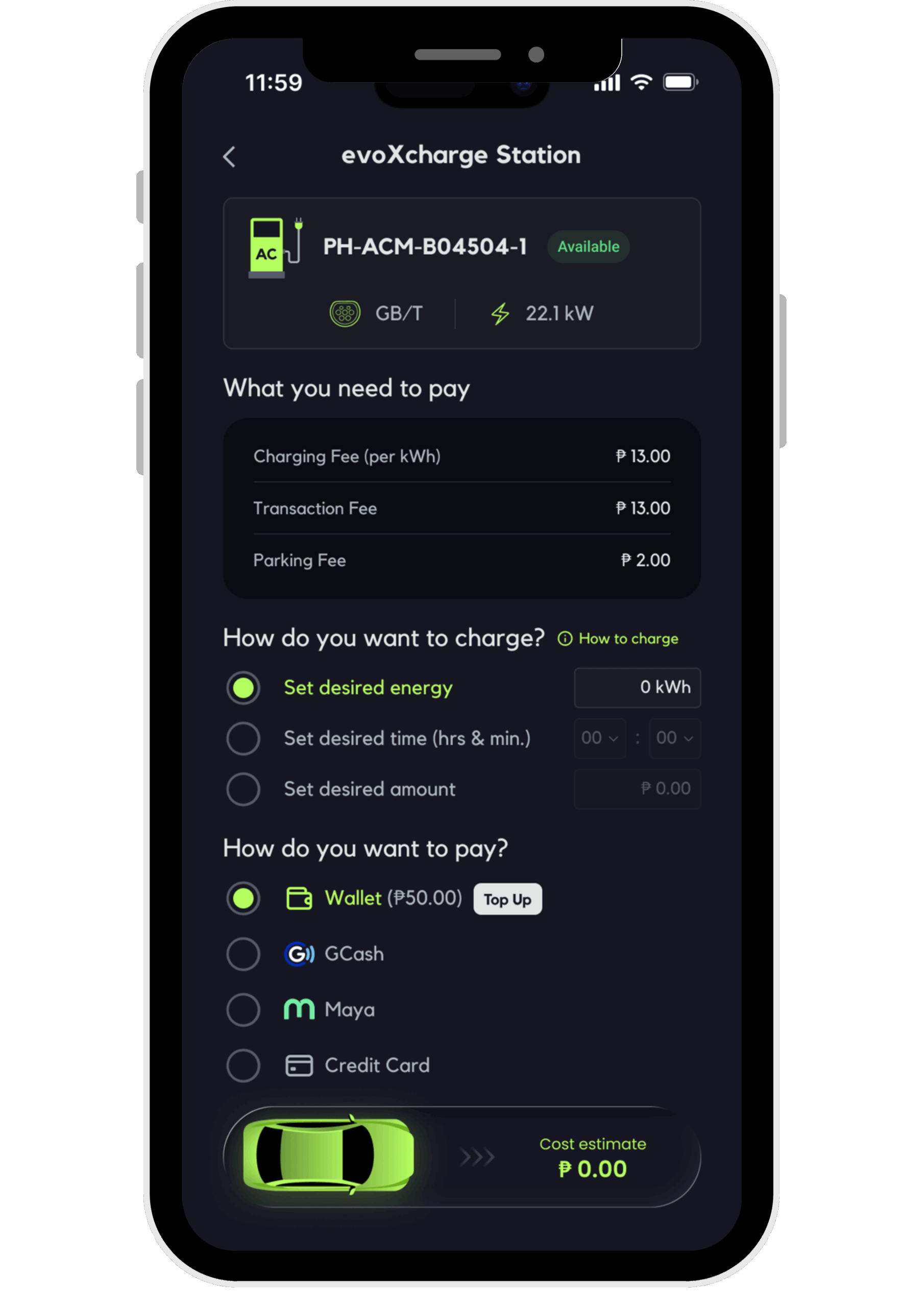
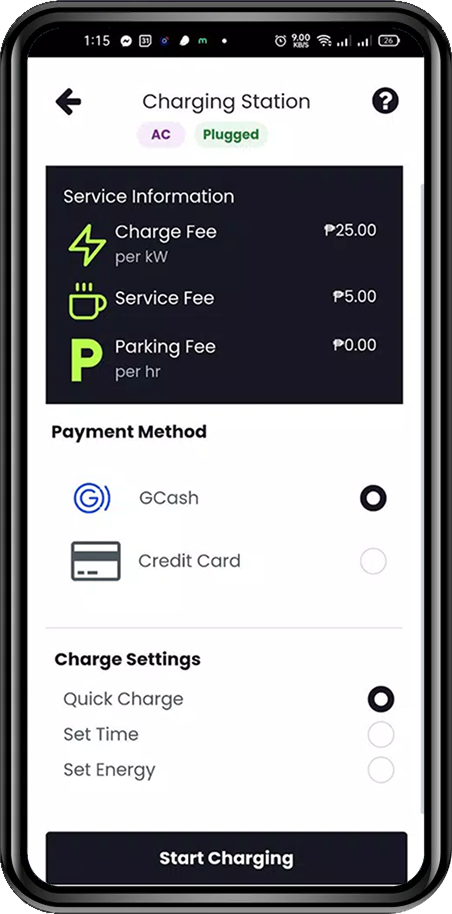
5. Charging Settings
Choose charging type, set energy limits, and pick your preferred payment method — GCash or credit card.
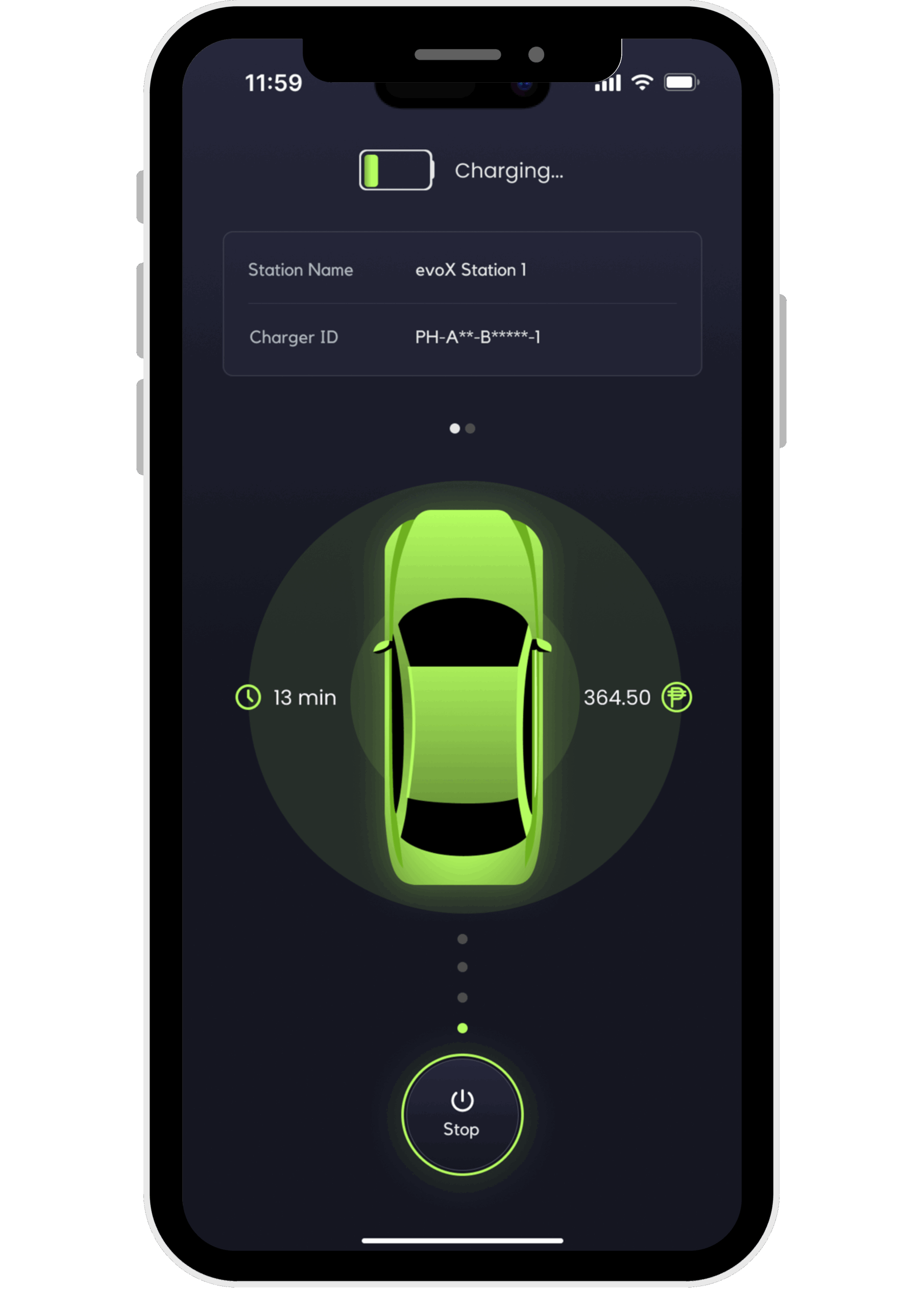
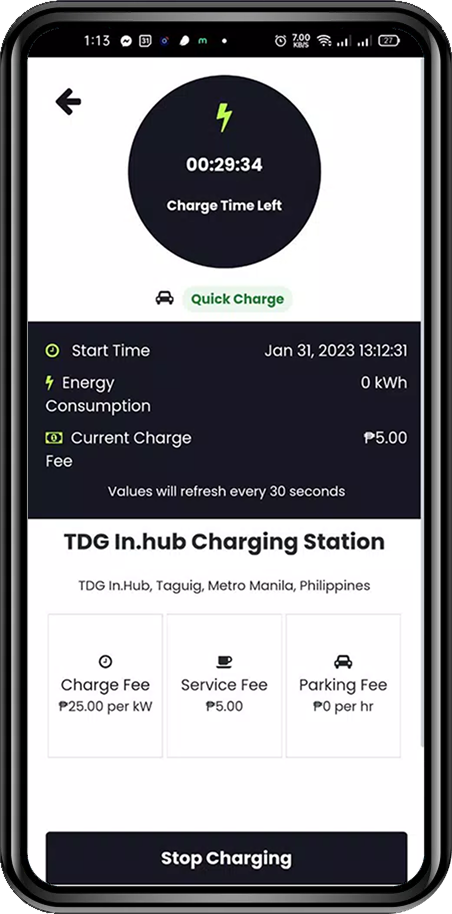
6. Active Charging
Track charging time, energy consumption, and cost live — all in one dashboard.
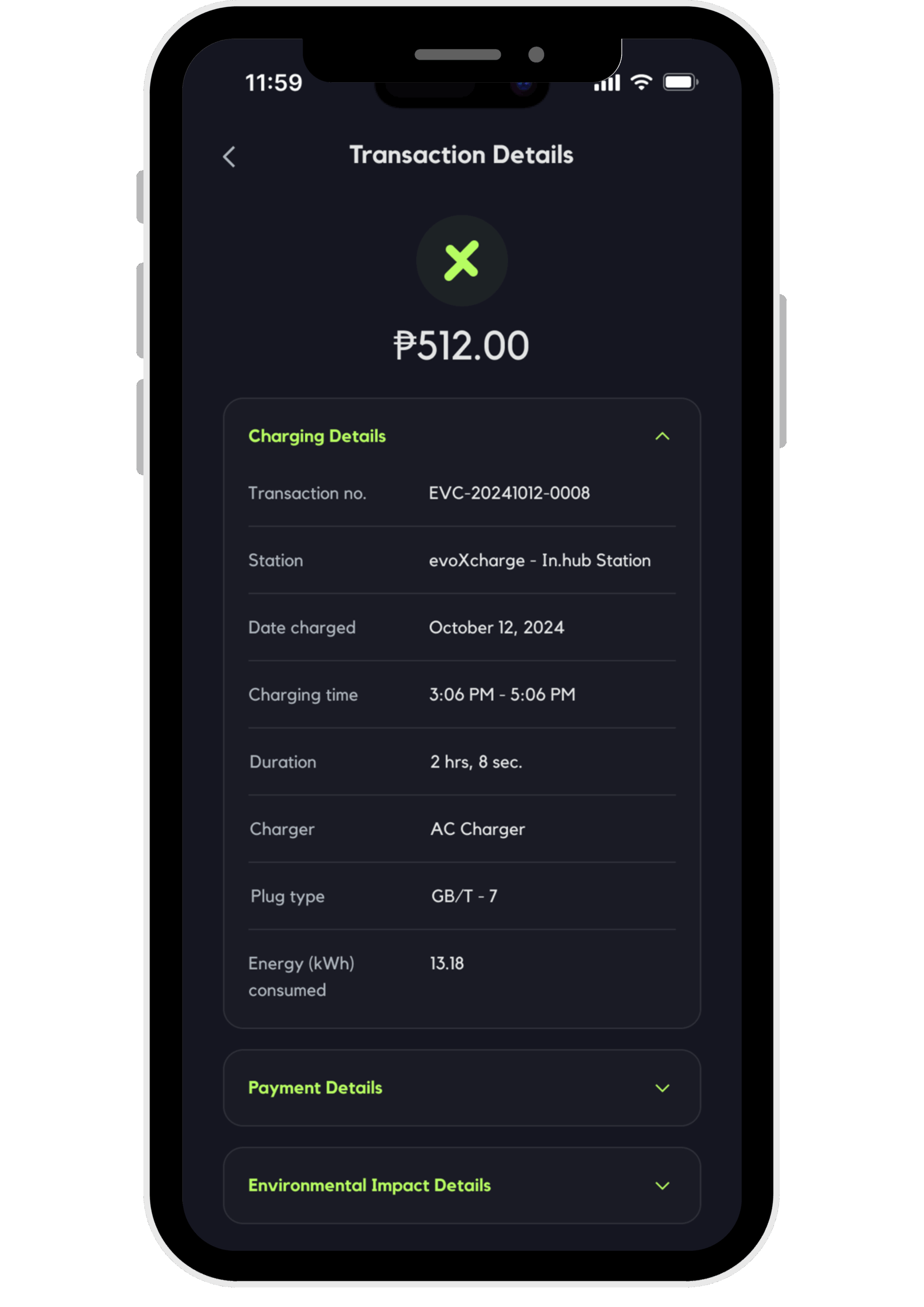
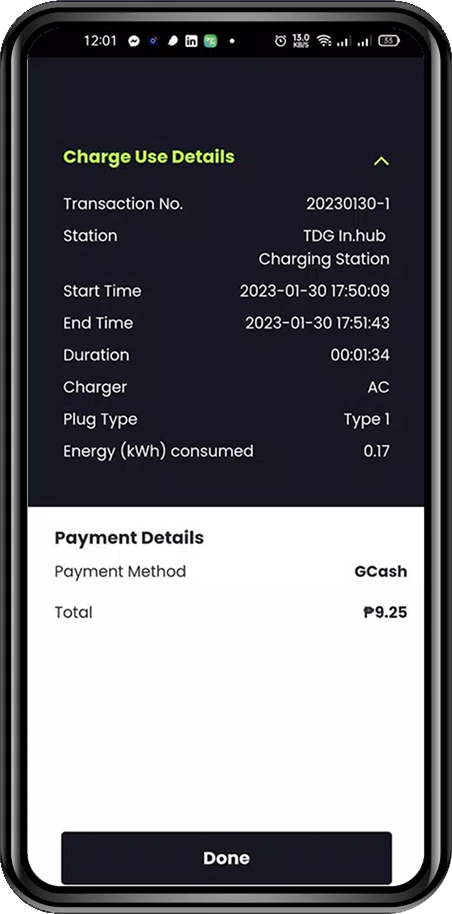
7. Transaction Summary
Once charging is done, see a breakdown of duration, total kWh, and amount paid.
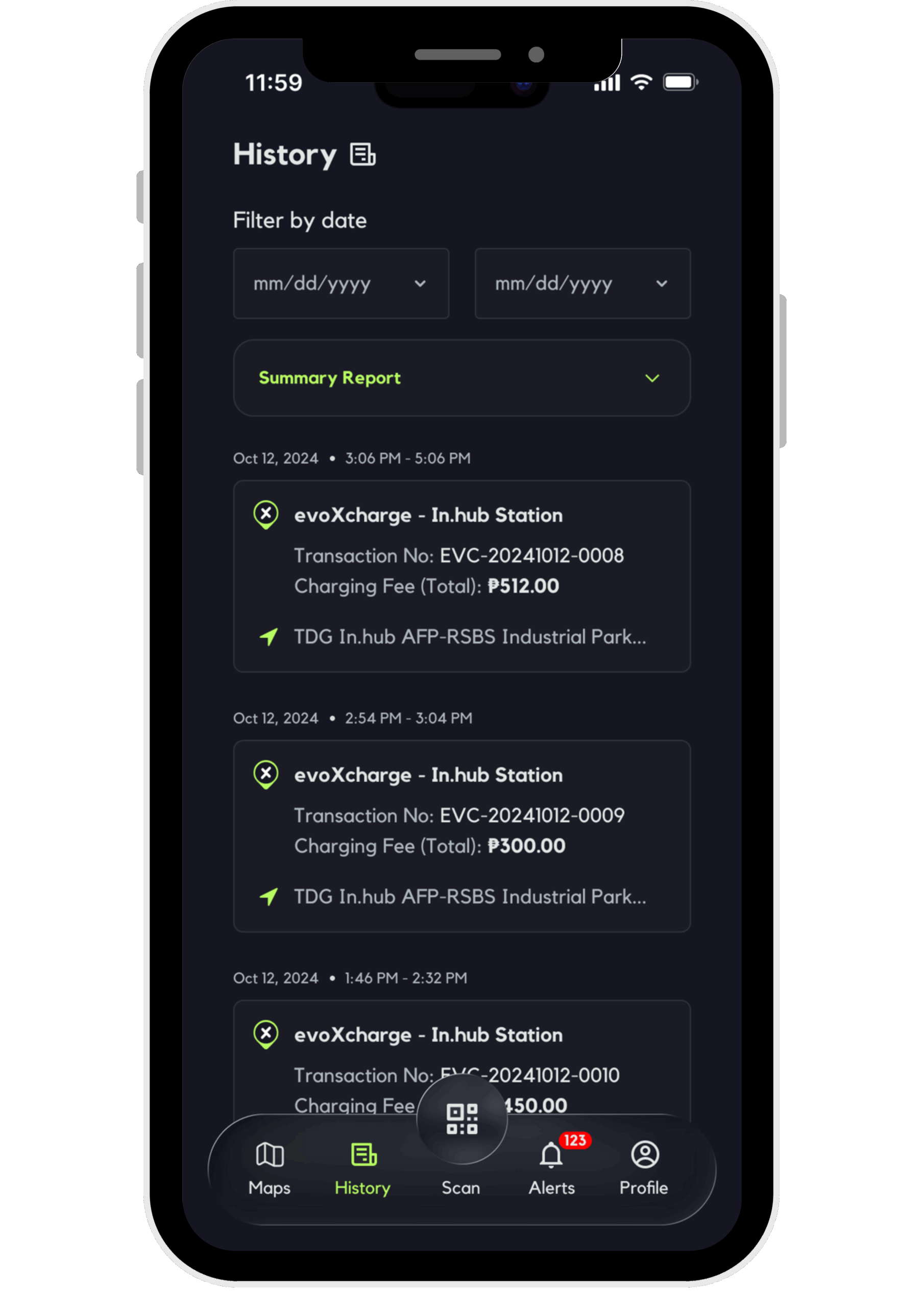
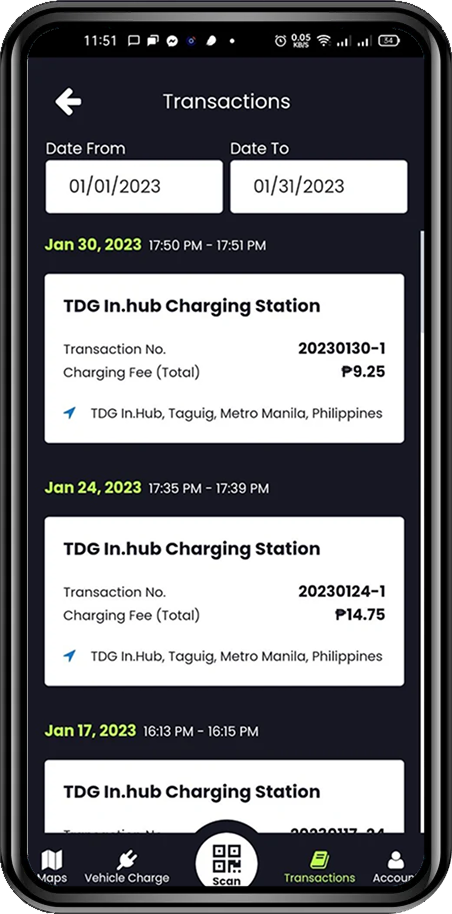
8. Charging History
Review all past sessions, transactions, and receipts for easy reference and record-keeping.